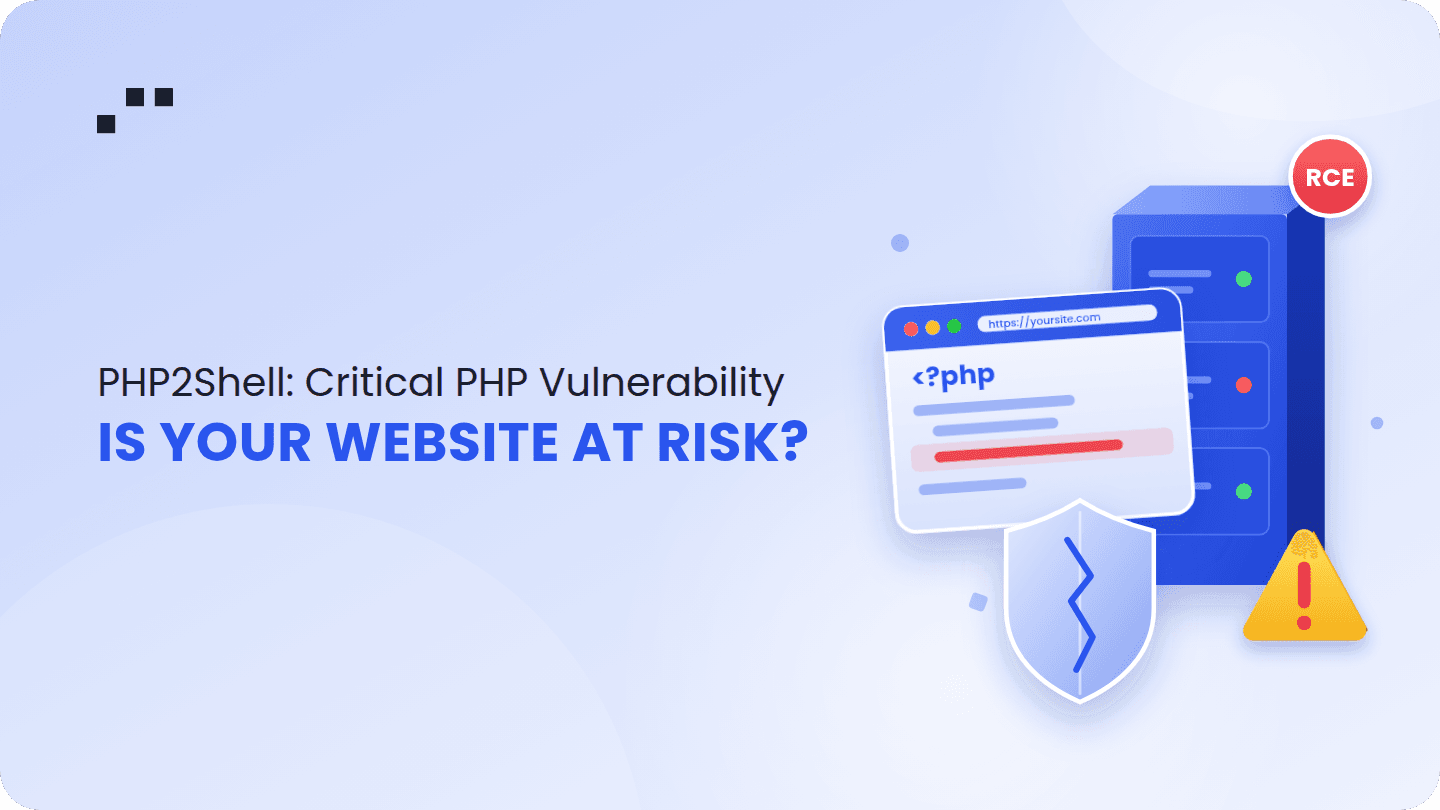
If your website runs on WordPress, Laravel, Drupal, Joomla or any other PHP-based platform, it needs an update today. On 21 October 2026, the team behind PHP announced two critical security flaws that let attackers take over a website server without a password or login (PHP security advisory).
PHP powers roughly 70% of all websites, according to the researchers at Wiz who found the problem. That includes most business websites, online shops, news portals and booking sites in Bangladesh. The good news: a fix is already available. The bad news: it only protects you once someone actually installs it.
What is PHP2Shell?
PHP2Shell is the name security researchers gave to two critical bugs inside PHP itself, the programming language most websites are built on. They are tracked as CVE-2026-109618 and CVE-2026-109619 and rated 9.2 out of 10 for severity.
Think of PHP as the engine of a car, and your website as the car body. Usually, security problems are in the body: a weak plugin, a badly written form. This time the problem is in the engine. That means even a website with perfectly written code is at risk if the PHP version underneath is old.
According to Wiz Research, nearly every PHP version released in the last ten years is affected. They demonstrated full takeovers of fresh WordPress, Drupal and Joomla installations.
You are likely affected if:
- Your website or web app uses WordPress, WooCommerce, Laravel, Drupal, Joomla, Magento, CodeIgniter or custom PHP.
- Your server or hosting has not updated PHP since 21 October 2026.
- Your site runs on an old PHP version (8.1 or earlier) that no longer receives official updates.
Websites built only with Node.js, Python or static site tools are not directly affected, but they can still be at risk if they share a server or database with a PHP site.
How an attack happens
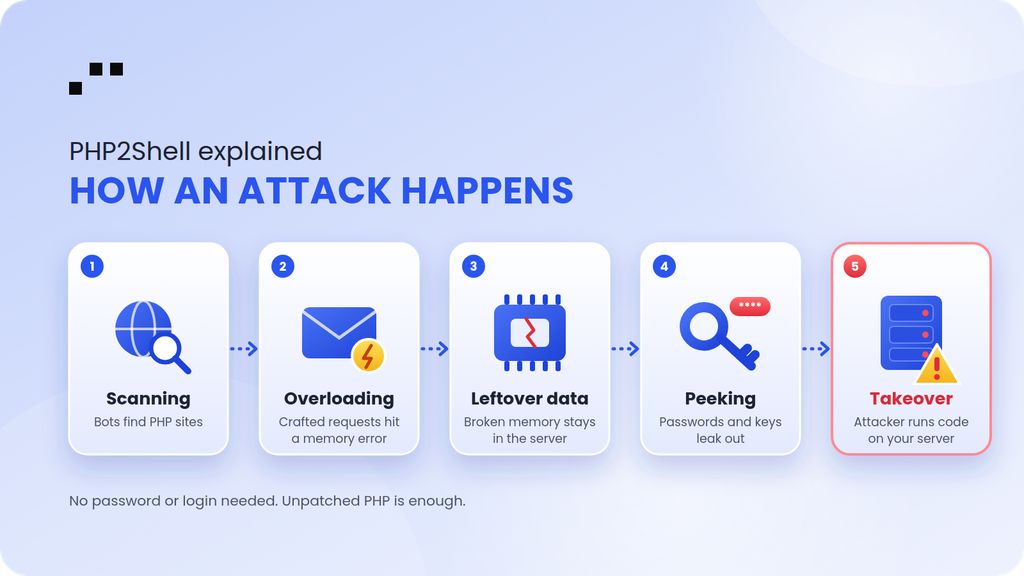
An attacker does not need your password, an admin account, or even a contact form. A specially crafted request sent to your website is enough. In simple terms, the attack looks like this:
- Scanning. Automated tools scan the internet for websites running PHP. This takes minutes, not days.
- Overloading. The attacker sends unusual requests that push PHP into a memory error at a very specific moment.
- Leftover data. Because of the bug, PHP leaves behind "dirty" data in memory after that error. The next visitor's request can pick it up.
- Peeking. The attacker can read pieces of server memory, which may contain passwords, login tokens and API keys from other visitors or the server itself.
- Takeover. By shaping that leftover data, the attacker can make the server run their own commands. At this point they control your website.
What an attacker can do next:
- Steal customer data, orders, emails and phone numbers.
- Steal database, payment gateway and email passwords.
- Deface your website or redirect visitors to scam pages.
- Install hidden malware, crypto miners or spam senders.
- Use your server to attack others, damaging your reputation and search ranking.
The researchers also warn that AI tools now make complex attacks like this much faster to build. Problems that once needed a team of experts for months can now be weaponized in days, so the window between "fix released" and "attacks begin" is shrinking.
The checklist you must follow
You do not need to be technical to start. Share this list with your developer, IT team or hosting provider and ask them to confirm each item.
Do this today
- Ask your developer or host: "Which PHP version is our website running?"
- Update PHP to a patched version: 8.5.12, 8.4.27, 8.3.36 or 8.2.35 (or newer).
- Make sure the server's PHP services were restarted after the update, so the old version is no longer running.
- If you are on PHP 8.1 or older, plan an urgent upgrade. These versions no longer receive official security fixes.
- If you use shared hosting or cPanel, check the PHP version in your hosting panel or ask support to confirm in writing.
- If the update cannot happen immediately, put your site behind a web firewall such as Cloudflare, which has released protection rules for this issue.
Do this within the week
- Change all important passwords: hosting, database, website admin, email and payment gateway.
- Ask your developer to check for unknown admin users, unfamiliar files or strange activity since 20 October.
- Log out all users and reset admin passwords.
- Confirm you have a recent, working backup stored somewhere other than the website server.
Keep doing this
- Update your CMS, plugins, themes and frameworks regularly, and remove plugins you no longer use.
- Turn on two-factor authentication (2FA) for every admin account.
- Use strong, unique passwords and never share admin logins over chat.
- Keep automatic daily backups and test restoring one every few months.
- Set up uptime and security monitoring so you hear about problems before your customers do.
- Agree with your developer or agency on who is responsible for security updates, in writing.
When can you say your system is secure?
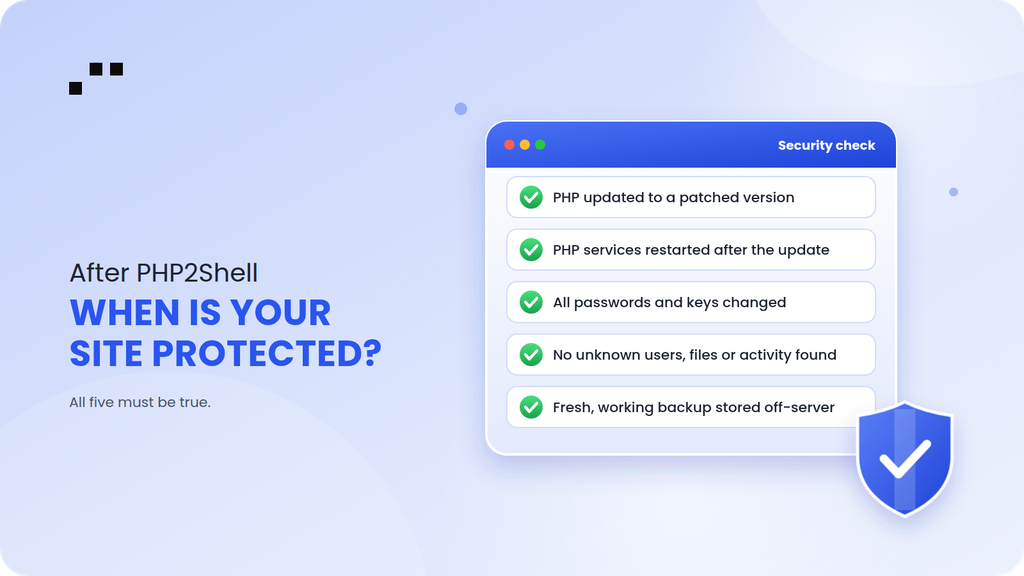
Honestly, no website is ever 100% secure. Security is not a box you tick once; it is a habit. But for PHP2Shell, you can be confident you are protected when all of these are true:
- Your developer has confirmed, with proof, that your live server runs a patched PHP version (8.5.12, 8.4.27, 8.3.36, 8.2.35 or newer).
- All PHP services were restarted after the update.
- Every important password and key has been changed since the update.
- A check found no unknown users, files or suspicious activity, or anything found has been cleaned up.
- You have a working backup from after the cleanup.
For your website's long-term health, you are in good shape when:
- Updates happen on a regular schedule, not only when there is bad news.
- Someone specific is responsible for security, and you know who it is.
- You get alerts when your site goes down or something unusual happens.
- You could restore your website from backup within a day if the worst happened.
If you cannot confidently say "yes" to each point above, your website is not yet safe.
Need help? Talk to your dev team or Notionhive
PHP2Shell is serious, but it is fixable, and the sooner you act, the smaller the risk. Start by forwarding this article to your development team or hosting provider today and ask them to confirm the checklist above.
Don't have a dedicated team, or not sure where to begin? Notionhive can help you check your PHP version, apply the update, review your site for signs of compromise and set up a long-term security and maintenance plan for your WordPress, Laravel or custom web application.
Contact Notionhive today for a website security check.

About Author
Notionhive Tech Team