Have you ever logged into a website on public WiFi and wondered whether someone could see your password?
Or clicked a “Not Secure” warning in Chrome and hesitated before continuing?
These moments exist because data moves across the internet constantly, and without encryption, that data is exposed.
This guide explains SSL/TLS in a clear and practical way. You will learn what it is, why it exists, how it works, and why modern web applications cannot function safely without it.
What Is SSL/TLS in Simple Terms?
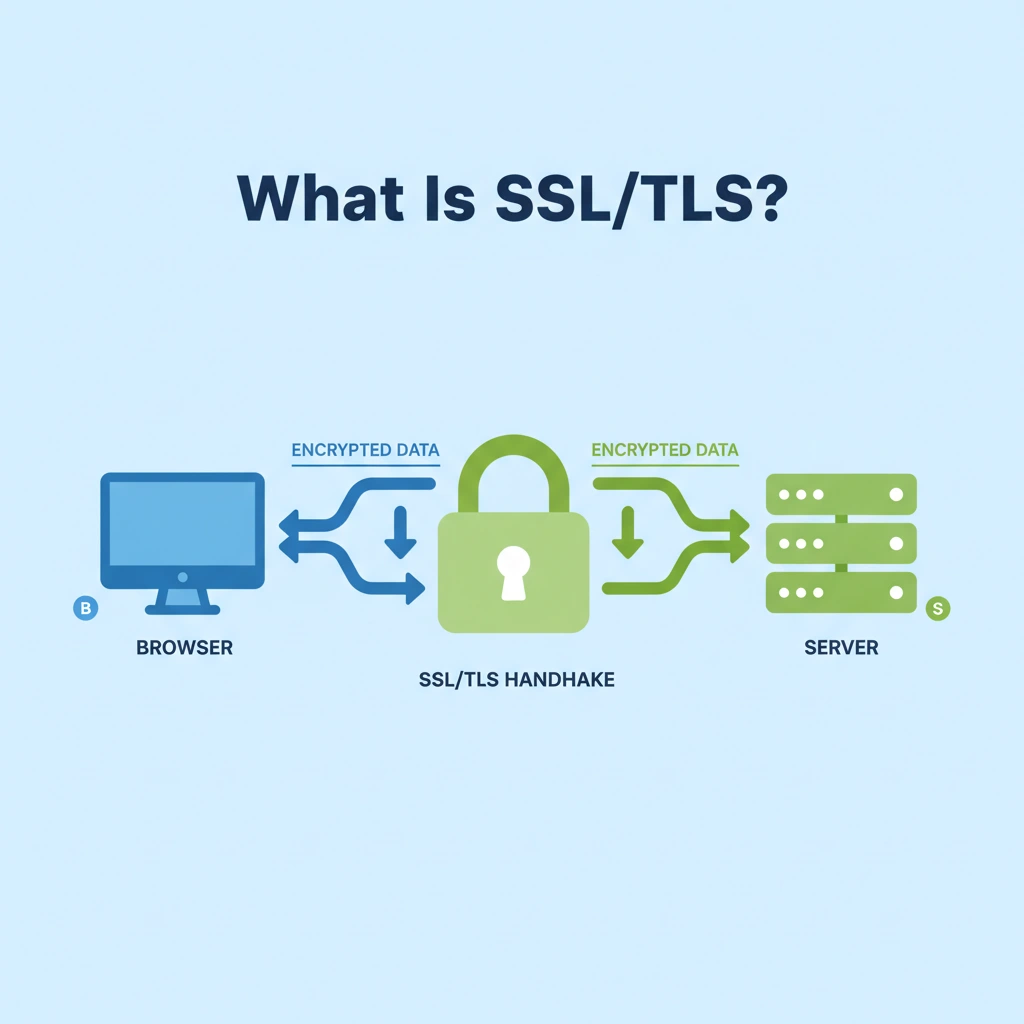
SSL and TLS are security protocols that encrypt data while it travels between a user’s browser and a web server. Their main job is to prevent anyone else from reading or modifying that data during transit.
Understanding these protocols is the first step in mastering key web security terminology every business should know.
SSL stands for Secure Sockets Layer. TLS stands for Transport Layer Security. SSL is no longer used, but people still say “SSL certificate” out of habit. In practice, modern websites use TLS, not SSL.
TLS is maintained by the Internet Engineering Task Force (IETF). The most common versions in use today are TLS 1.2 and TLS 1.3. Older versions are disabled by browsers because they contain known security weaknesses.
Quick answer
- SSL/TLS encrypts data between browsers and servers
- SSL is obsolete
- TLS is the current secure standard
What Problem Does SSL/TLS Actually Solve?
Without SSL/TLS, data travels across the internet as plain text. Anyone with access to the network can read it.
This includes:
- Usernames and passwords
- Session cookies
- Personal details
- API tokens
These are often exploited through session hijacking. Attackers do not need advanced skills to intercept unencrypted traffic. Tools for network sniffing exist publicly and work especially well on public WiFi networks.
A common misconception is that only payment pages need encryption. In reality, login forms are the primary target. Once an attacker steals credentials, they gain access regardless of whether payments are involved.
SSL/TLS solves this by encrypting data before it leaves the browser. Even if someone intercepts it, the content remains unreadable.
How Does SSL/TLS Work Step by Step?
Understanding the mechanics helps explain why SSL/TLS is trusted.
What Is the SSL/TLS Handshake?
The handshake is the process that creates a secure connection.
Here is the simplified flow:
- The browser requests a secure connection
- The server sends its TLS certificate
- The browser verifies the certificate
- Both sides agree on encryption keys
- Secure communication begins
This entire process happens in milliseconds. This technical layer is a critical component of professional website development.
What Are Public and Private Keys?
TLS uses asymmetric encryption at the start.
- The public key encrypts data
- The private key decrypts it
The public key is visible to everyone. The private key stays on the server and must never be shared. If the private key leaks, the entire encryption model breaks.
Why Does TLS Switch to Symmetric Encryption?
Asymmetric encryption is secure but slow. After the handshake, TLS switches to symmetric encryption using algorithms like AES.
Symmetric encryption uses one shared secret key. It is faster and suitable for ongoing communication.
This combination balances security and performance.
How Do Browsers Trust a Website Using SSL/TLS?
Browsers do not trust websites automatically. Trust comes from Certificate Authorities, often called CAs.
A Certificate Authority verifies that a website owns its domain and issues a digital certificate. Browsers trust certificates only if they come from known authorities.
Common Certificate Authorities include:
- Let’s Encrypt
- DigiCert
- GlobalSign
Browsers like Chrome, Firefox, and Safari store a list of trusted CAs. This list is called a trust store.
If a certificate comes from an untrusted source, browsers show warnings. If the certificate has expired, users see security alerts. This trust system prevents impersonation and phishing at scale.
What Is HTTPS and How Is It Different From HTTP?
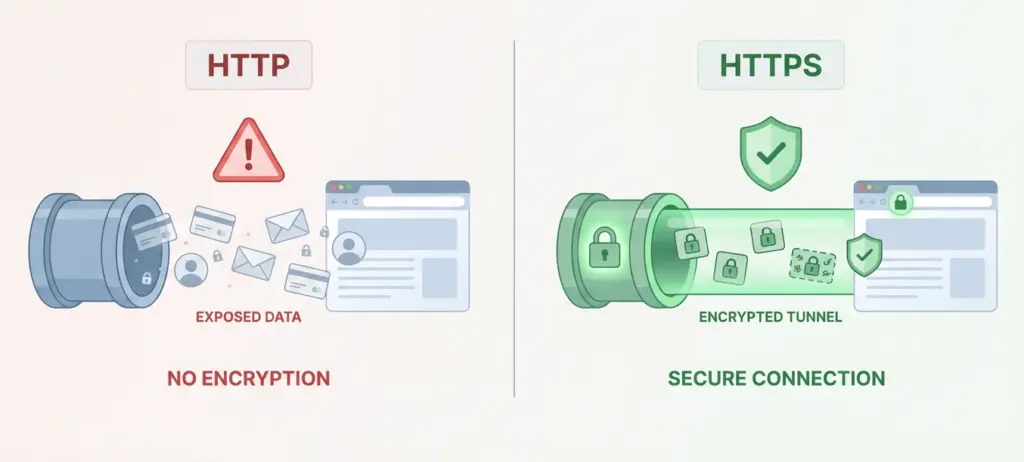
HTTP is the protocol used to load web pages. HTTPS is HTTP with TLS encryption.
Here is the practical difference:
- HTTP sends data in plain text
- HTTPS encrypts all transmitted data
Modern browsers label HTTP sites as insecure. Google Chrome explicitly warns users when a site lacks HTTPS.
HTTPS is no longer optional. It is the expected default for any website that accepts user input.
Why Is SSL/TLS Mandatory for Modern Web Applications?
SSL/TLS protects far more than payment pages. It secures the entire application layer.
Does SSL/TLS Protect Login Credentials?
Yes. Without TLS, login credentials travel unencrypted. Attackers can steal them using basic interception tools.
TLS ensures that passwords remain protected even on shared networks.
Does SSL/TLS Protect APIs and Mobile Apps?
Yes. REST APIs and mobile applications rely heavily on TLS.
- Modern mobile app development uses TLS for backend communication
- APIs use TLS to protect tokens and credentials
Most platforms reject API requests sent over HTTP.
Does SSL/TLS Affect Website Performance?
Modern TLS improves performance.
Protocols like HTTP/2 and HTTP/3 require TLS. These protocols reduce latency and improve loading speed.
TLS no longer slows websites. In many cases, it improves performance.
What Are the Most Common Myths About SSL/TLS?
Let’s address common misunderstandings clearly.
- Free SSL is insecure
False. Let’s Encrypt uses the same encryption standards as paid certificates. - SSL alone makes a site secure
False. TLS protects data in transit, not application logic. - Only e-commerce sites need SSL
False. Login pages and forms are higher risk targets. - SSL hurts performance
False. Modern TLS improves speed with newer protocols.
How Does SSL/TLS Fit Into the Buyer Journey?
SSL/TLS decisions follow a predictable path.
Awareness
- Understanding data exposure risks
Consideration
- Comparing certificate types
- Evaluating providers
Decision
- Selecting a Certificate Authority
- Enforcing HTTPS site-wide
Retention
- Renewing certificates
- Monitoring configuration health
Understanding this journey helps organizations implement TLS correctly rather than reactively.
Who Sets the Standards for SSL/TLS?
TLS standards come from respected organizations.
Key contributors include:
- Internet Engineering Task Force
- Mozilla
- Google Security Team
- Cloudflare research teams
These groups publish specifications, deprecate weak algorithms, and guide browser behavior. This constant evolution keeps TLS resilient against new attack methods.
How Is SSL/TLS Connected to Compliance and Regulations?
Encryption is a legal expectation in many industries.
Examples:
- PCI DSS requires encryption of payment data
- GDPR expects reasonable protection of personal data
- HIPAA mandates secure transmission of health information
TLS is widely recognized as a baseline security control for compliance.
Author Credentials and Fact Checking
This article reflects industry standards used in web application security and infrastructure design.
Primary references include:
- OWASP documentation
- Mozilla Developer Network
- Google Security Blog
- Cloudflare technical papers
All information aligns with current browser behavior and TLS standards.
Quick FAQs for Voice and Search
- What does SSL do?
It encrypts data between browsers and servers - Is TLS better than SSL?
Yes. SSL is obsolete - Do blogs need SSL?
Yes, if they collect any user input - Is HTTPS required for SEO?
Yes. Google uses it as a ranking signal
What Are the Common Security Risks Without SSL/TLS?
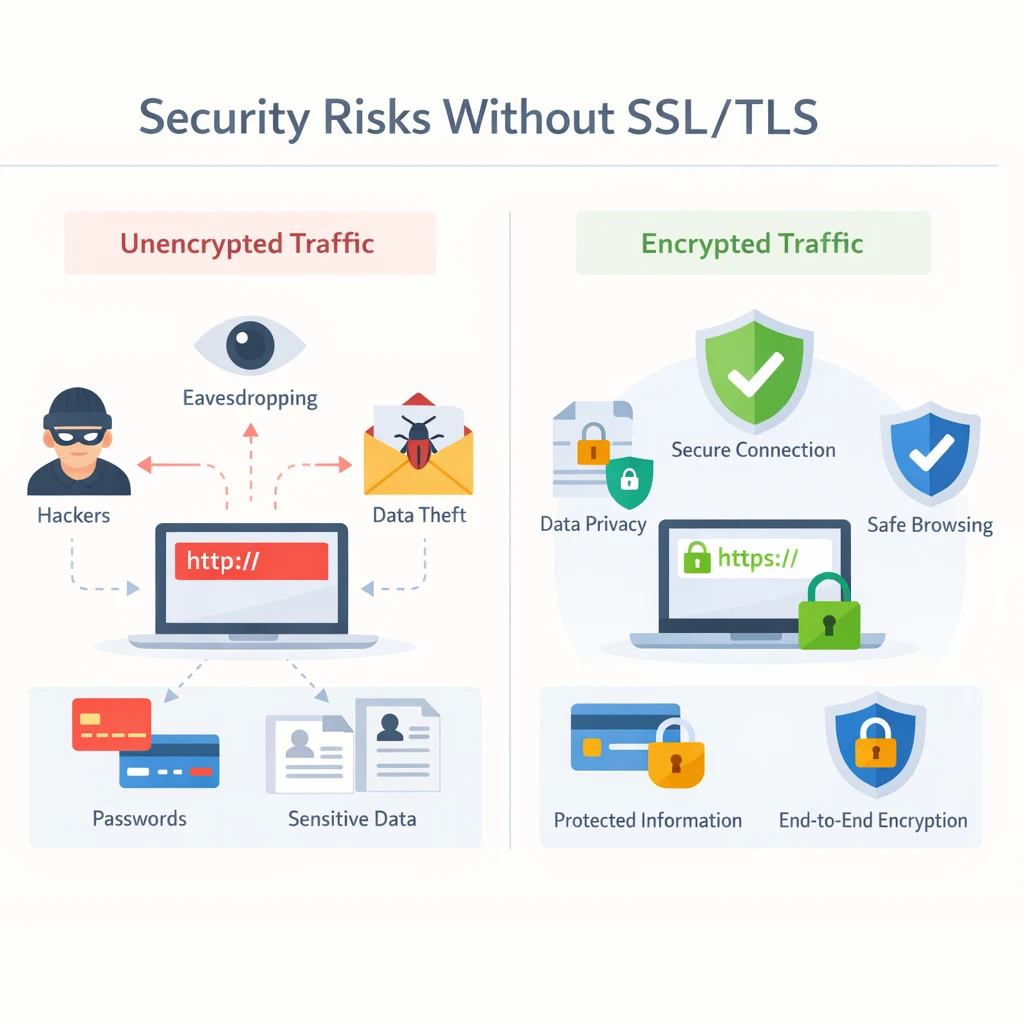
At this point, you understand how SSL/TLS works and why it exists. Now let’s answer a more practical question. What actually goes wrong when a website does not use SSL/TLS?
This section focuses on real risks, not theory.
1. Data Interception
Without SSL/TLS, all data sent between a browser and a server travels in plain text. This includes login credentials, contact form submissions, session identifiers, and other inputs that attackers can manipulate for exploits like SQL injection.
Attackers can intercept this data using simple network monitoring tools. This is especially common on public WiFi networks in airports, cafes, and hotels.
Once intercepted, credentials can be reused on other platforms. This leads directly to account takeover incidents.
SSL/TLS prevents this by encrypting data before it leaves the browser. Intercepted traffic becomes unreadable and useless to attackers.
2. Session Hijacking
When users log in, websites assign session cookies to keep them authenticated. Without SSL/TLS, these cookies travel without encryption.
An attacker who captures a session cookie can impersonate the user without needing a password. This technique is called session hijacking.
SSL/TLS encrypts cookies during transmission. This ensures that only the browser and server can read them.
Without TLS, even strong passwords cannot protect active sessions.
3. Phishing and Fake Websites
Attackers often create fake websites that look identical to legitimate ones. Their goal is to trick users into entering credentials.
Without SSL/TLS, attackers can host unencrypted sites that appear convincing to non-technical users.
Browsers now warn users when a site lacks HTTPS. These warnings reduce the success rate of phishing attempts.
SSL/TLS helps users identify legitimate websites through the padlock icon and certificate validation.
4. SEO Impact
Websites that do not use SSL/TLS suffer from reduced search visibility. Google uses HTTPS as a ranking signal and favors secure websites in search results.
Browsers label HTTP sites as not secure. Users are less likely to stay, click, or convert on these sites. High bounce rates and low engagement negatively affect SEO.
SSL/TLS ensures your site displays as secure, improving user trust and supporting better search rankings.
How Do You Implement SSL/TLS on a Web Application?
Once you understand the risks, the next step is implementation. The good news is that SSL/TLS setup is now straightforward for most environments.
Step 1. Choose a Certificate Authority
A Certificate Authority issues your TLS certificate. Trusted options include:
- Let’s Encrypt
- DigiCert
- GlobalSign
Let’s Encrypt is widely used and trusted by all major browsers. It is suitable for most websites.
Paid certificates may offer extended validation or business verification but do not provide stronger encryption.
Step 2. Install the Certificate on Your Server
Most hosting providers offer automated certificate installation. Popular platforms like AWS, Cloudflare, and Google Cloud integrate TLS by default.
For self-managed servers, installation depends on your web server software.
- Apache uses configuration files referencing the certificate and private key
- Nginx uses server blocks with TLS directives
Correct installation is critical. Misconfigured certificates cause browser warnings.
Step 3. Enforce HTTPS Everywhere
Installing a certificate is not enough. You must ensure all traffic uses HTTPS.
Configure your server to redirect HTTP requests to HTTPS. This prevents users from accessing unencrypted pages.
Search engines also expect consistent HTTPS usage across all URLs.
Step 4. Fix Mixed Content Issues
Mixed content occurs when an HTTPS page loads resources over HTTP. Browsers block or warn about this behavior.
Review all images, scripts, and stylesheets. Update them to load over HTTPS.
Tools like Chrome DevTools help identify mixed content errors quickly.
How Do You Maintain SSL/TLS Over Time?
SSL/TLS is not a one-time setup. It requires ongoing maintenance.
Monitor Certificate Expiration
Certificates expire. When they do, browsers block access to your site.
Let’s Encrypt certificates expire every 90 days. Automated renewal prevents outages.
Monitoring expiration dates is essential for uptime and trust.
Test Your TLS Configuration Regularly
Tools like SSL Labs SSL Test analyze your TLS setup.
They identify:
- Weak encryption settings
- Deprecated protocols
- Configuration errors
Regular testing ensures your site follows current best practices.
Keep Servers and Libraries Updated
TLS security depends on the underlying software. Outdated servers expose known vulnerabilities.
Apply updates to:
- Web servers
- Operating systems
- Application frameworks
Security patches close attack paths before they are exploited. Failing to update these protocols can leave you exposed to the OWASP Top 10 web security risks, which include deprecated encryption and misconfigurations.
How Does SSL/TLS Support SEO and Business Growth?
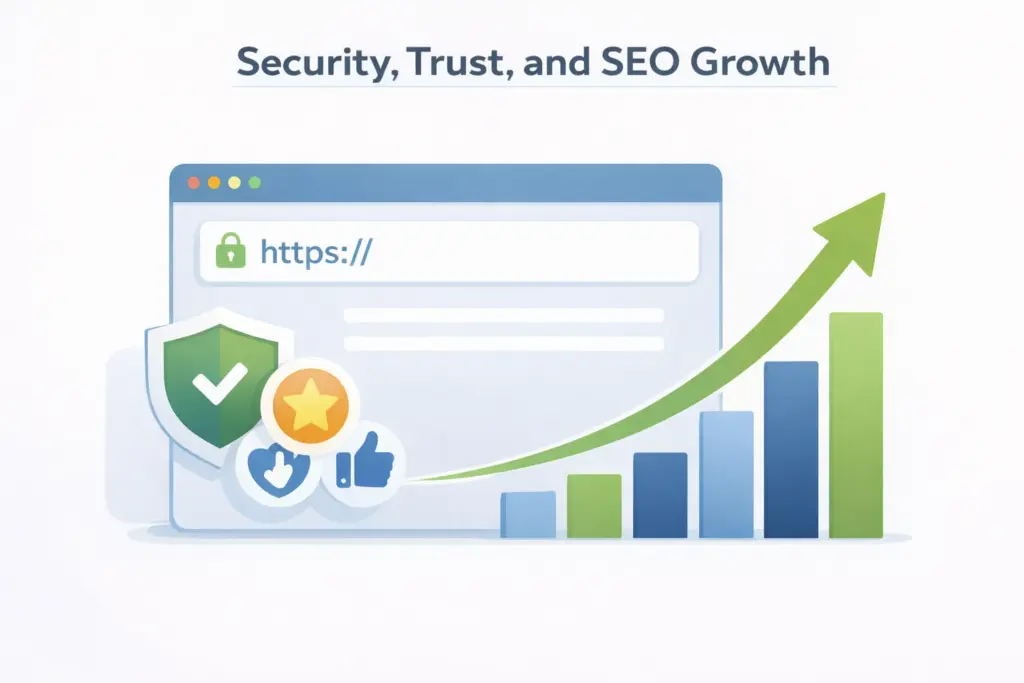
SSL/TLS supports more than just security.
Secure sites convert better because users trust them. Users complete forms and transactions more confidently. Google rewards secure sites with better rankings. HTTPS improves crawl efficiency and indexing.
Modern performance features like HTTP/2 require TLS. Faster sites rank better and retain users longer. Security, performance, and SEO align when TLS is implemented correctly.
By aligning security with a robust digital marketing strategy, businesses can ensure they are not only visible but also credible.
Real World Examples of SSL/TLS in Use
E-commerce Platforms
Amazon, Shopify, and Stripe rely on TLS to secure payments and customer data. Every transaction depends on encrypted communication.
Without TLS, e-commerce businesses cannot meet PCI DSS requirements.
Healthcare Applications
Telemedicine platforms protect patient data using TLS. Medical records and appointment details require encrypted transmission.
Regulations like HIPAA depend on secure data transport.
APIs and Cloud Services
Companies like Google, Microsoft, and AWS require TLS for API access. Tokens and credentials remain protected during every request.
TLS is the foundation of modern cloud security.
Final Takeaway
SSL/TLS is not optional. It is a foundational requirement for modern web applications.
It protects users, improves search visibility, supports compliance, and enables performance improvements.
If your website accepts user input, runs APIs, or stores sessions, TLS must be enforced.
Secure communication builds trust. Trust builds growth.
FAQs
Do I need SSL/TLS for a static website
Yes. Forms, cookies, and analytics still transmit data.
Is free TLS secure
Yes. Encryption strength is the same.
Does TLS stop hacking
No. It protects data in transit, not application logic.
Can TLS slow my site
No. Modern TLS improves performance.
Is HTTPS mandatory for SEO
Yes. Google treats it as a ranking factor.

About Author
Tanzim Sarwar TazTanzim Sarwar Taz is a content writer with 7+ years of experience creating in-depth content on SEO, technology, web development trends, and AI-driven search. His work focuses on emerging topics such as AEO, GEO, search experience optimization, artificial intelligence, and modern web technologies, delivering practical insights backed by research and industry developments.