
Have you ever secured your backend logic, validated user input, and still felt unsure whether your web application is truly safe?
That uncertainty usually exists because security is not only about code. It is also about how browsers communicate, what they are allowed to load, and who they are allowed to trust.
This article explains three foundational web application security protocols that directly affect how users interact with your application: HTTPS, CORS, and Content Security Policy (CSP).
If you build, deploy, or manage web applications, these protocols influence your security posture whether you configure them correctly or not.
Why Do Secure Web Application Protocols Matter?
When users access your web application, their browser becomes part of your security boundary. The browser decides where requests can go, which scripts can run, and whether a connection can be trusted.
If you ignore browser-enforced security protocols, you leave critical decisions to default behavior. Defaults are rarely secure enough for production systems. Secure web application protocols exist to:
- Protect data while it moves across the network
- Control cross-origin access
- Reduce the impact of client-side attacks
You rely on these protocols whether you realize it or not. The difference between a secure application and a vulnerable one often comes down to how well these protocols are configured.
What Are Secure Web Application Protocols?
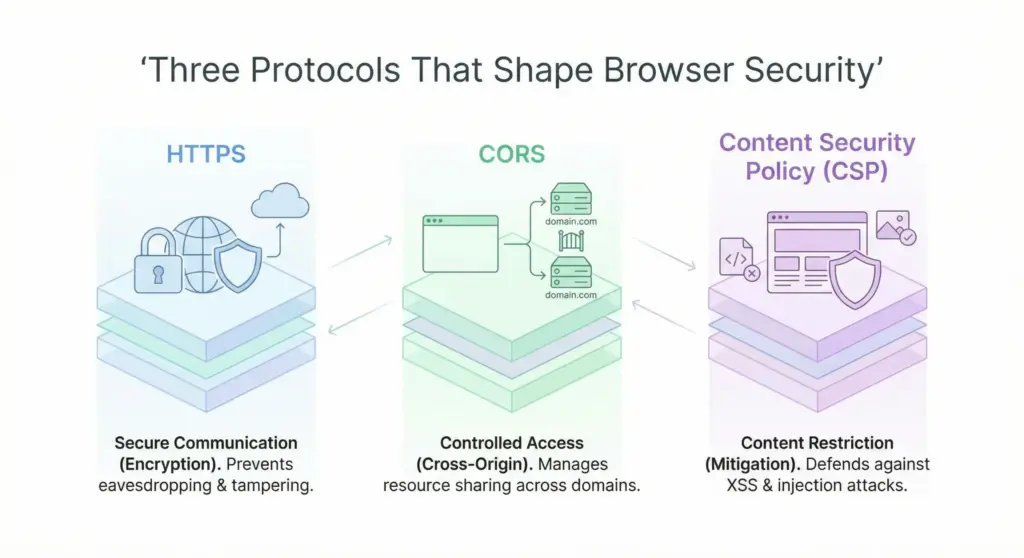
Secure web application protocols are standardized rules that define how browsers and servers communicate safely. They operate at different layers of the web stack.
Each protocol has a specific role:
- HTTPS protects data during transmission
- CORS controls cross-origin access
- CSP restricts what the browser is allowed to execute
These protocols do not replace secure coding. They reinforce it.
A common misconception is that firewalls or backend security controls can replace browser security. They cannot. Browsers enforce their own rules, and attackers target those rules directly.
What Is HTTPS and What Security Problem Does It Solve?
HTTPS is the secure version of HTTP. It uses SSL/TLS encryption to protect communication between a browser and a server.
When you enable HTTPS, you protect three things:
- Confidentiality
- Integrity
- Authentication
Confidentiality ensures attackers cannot read data in transit. Integrity ensures data cannot be modified. Authentication ensures users connect to the correct server.
Modern HTTPS uses TLS 1.2 or TLS 1.3, both defined by the Internet Engineering Task Force (IETF). Older versions are disabled by browsers because they contain known vulnerabilities.
If your application handles login credentials, session cookies, APIs, or form submissions, HTTPS is mandatory. Without it, you are vulnerable to broken authentication and session management issues.
What Happens When HTTPS Is Missing?
If you do not use HTTPS, your application exposes users to immediate risk.
Credential Exposure
Without HTTPS, login credentials travel in plain text. Anyone on the same network can intercept them using basic tools. Even strong passwords cannot protect users if the connection itself is insecure.
Session Hijacking
Browsers use cookies to track authenticated users. Without HTTPS, these cookies can be stolen and reused. Once an attacker has a valid session cookie, they do not need a password.
Browser Warnings and Trust Loss
Modern browsers label HTTP sites as not secure. Users see warnings before entering data. This reduces trust, increases bounce rates, and affects conversion.
Search Ranking Impact
Google treats HTTPS as a ranking signal. Sites without HTTPS perform worse in search results. If you care about visibility, HTTPS is not optional.
How Does HTTPS Fit into Modern Web Application Architecture?
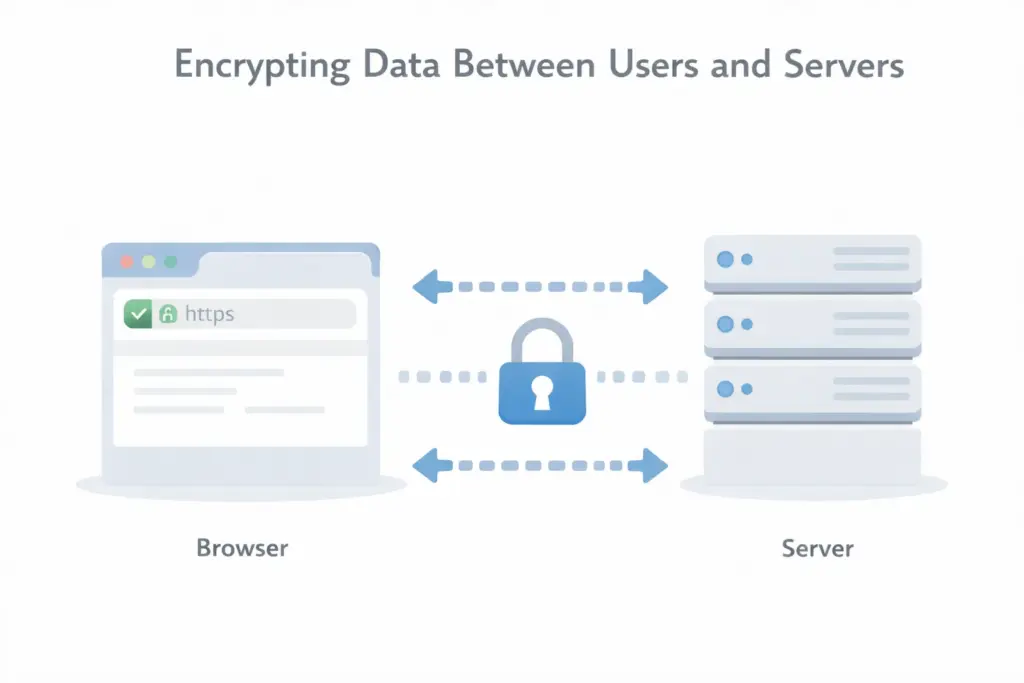
HTTPS is no longer limited to web pages. It protects every part of your application stack.
You need HTTPS for:
- Web applications
- REST APIs
- GraphQL endpoints
- Mobile backends
Protocols like HTTP/2 and HTTP/3 require HTTPS. These protocols improve performance and reduce latency. If your application does not use HTTPS everywhere, you block access to modern web capabilities.
What Is CORS and Why Does It Exist?
CORS stands for Cross-Origin Resource Sharing. It is a browser security mechanism that controls how one origin can access resources from another.
Browsers enforce the Same Origin Policy by default. This policy prevents one website from reading data from another.
CORS exists because modern applications often need cross-origin communication. APIs, third-party services, and front-end frameworks depend on it. CORS allows you to relax the Same Origin Policy in a controlled way.
How Does the Same Origin Policy Protect You?
The Same Origin Policy prevents malicious websites from reading sensitive data. Without it, any website you visit could:
- Read your session data
- Access private APIs
- Steal sensitive responses
The Same Origin Policy blocks these attacks by default. CORS lets you explicitly decide which origins you trust.
How Does CORS Actually Work?
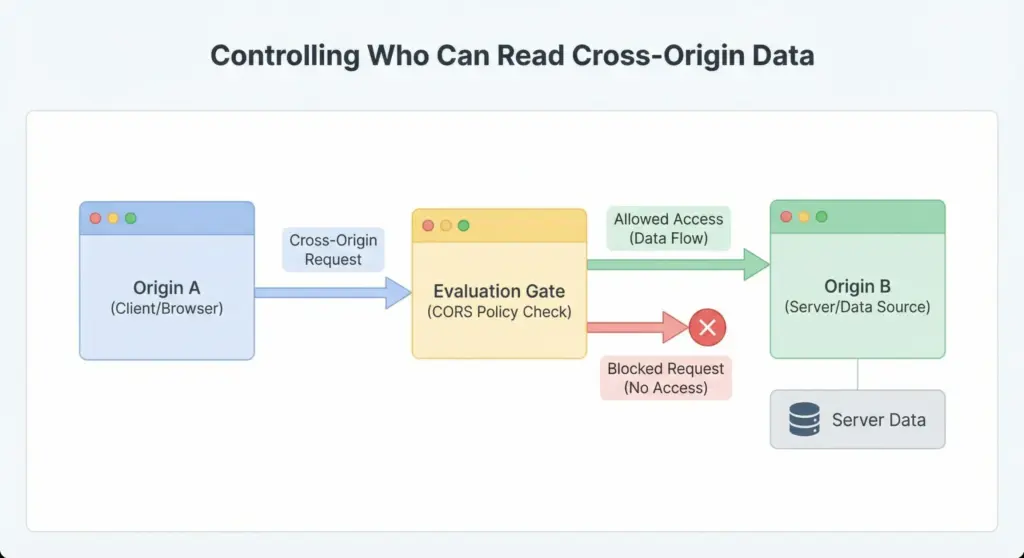
CORS works through HTTP headers that browsers evaluate before allowing access. When a browser makes a cross-origin request, it checks the server response for permission.
Simple Requests vs Preflight Requests
Some requests are considered simple. Others require a preflight request. A preflight request uses the HTTP OPTIONS method. The browser asks the server which methods and headers are allowed. Only if the server responds correctly does the browser allow the actual request.
Key CORS Headers You Must Understand
- Access Control Allow Origin
Defines which origins are allowed - Access Control Allow Methods
Defines which HTTP methods are permitted - Access Control Allow Headers
Defines which custom headers are allowed
CORS is enforced by the browser, not the server. Attackers cannot bypass it from JavaScript.
Why Is CORS Often Misunderstood?
Many developers treat CORS errors as bugs rather than security signals. A common mistake is setting overly permissive rules to make errors disappear. This creates security issues.
CORS does not protect your server from attackers. It protects users from malicious websites. If you misconfigure CORS, you weaken browser protections for your users.
Where Does CORS Fit in Your Security Model?
CORS controls who can read responses, not who can send requests. Your server must still authenticate and authorize every request.
CORS works best when combined with:
- HTTPS
- Strong authentication
- Proper authorization
Remember, it is not a standalone security solution.
What Is Content Security Policy (CSP)?
Content Security Policy is a browser-enforced security standard that controls what content a page can load and execute. CSP primarily protects against Cross-Site Scripting (XSS) and data injection attacks.
It allows you to define strict rules about:
- Script execution
- Resource loading
- Data destinations
CSP is defined by the World Wide Web Consortium (W3C) and recommended by OWASP.
Why Is CSP Necessary Even with Input Validation?
Input validation reduces risk but does not eliminate it. Browsers execute scripts after your server responds. If malicious code reaches the browser, CSP acts as a final defense.
CSP prevents:
- Inline script execution
- Loading scripts from untrusted domains
- Exfiltration of sensitive data
You should treat CSP as a browser firewall.
How Does CSP Work at a High Level?
CSP works by sending a policy header with each response. The browser evaluates this policy before executing content. If the content violates the policy, the browser blocks it. You can also enable reporting to monitor violations without breaking functionality.
Where Does CSP Fit in a Secure Web Application?
CSP complements HTTPS and CORS.
- HTTPS secures data in transit
- CORS controls cross-origin access
- CSP controls browser execution
Together, they form a layered defense model.
How Does Content Security Policy Protect Your Application in Practice?
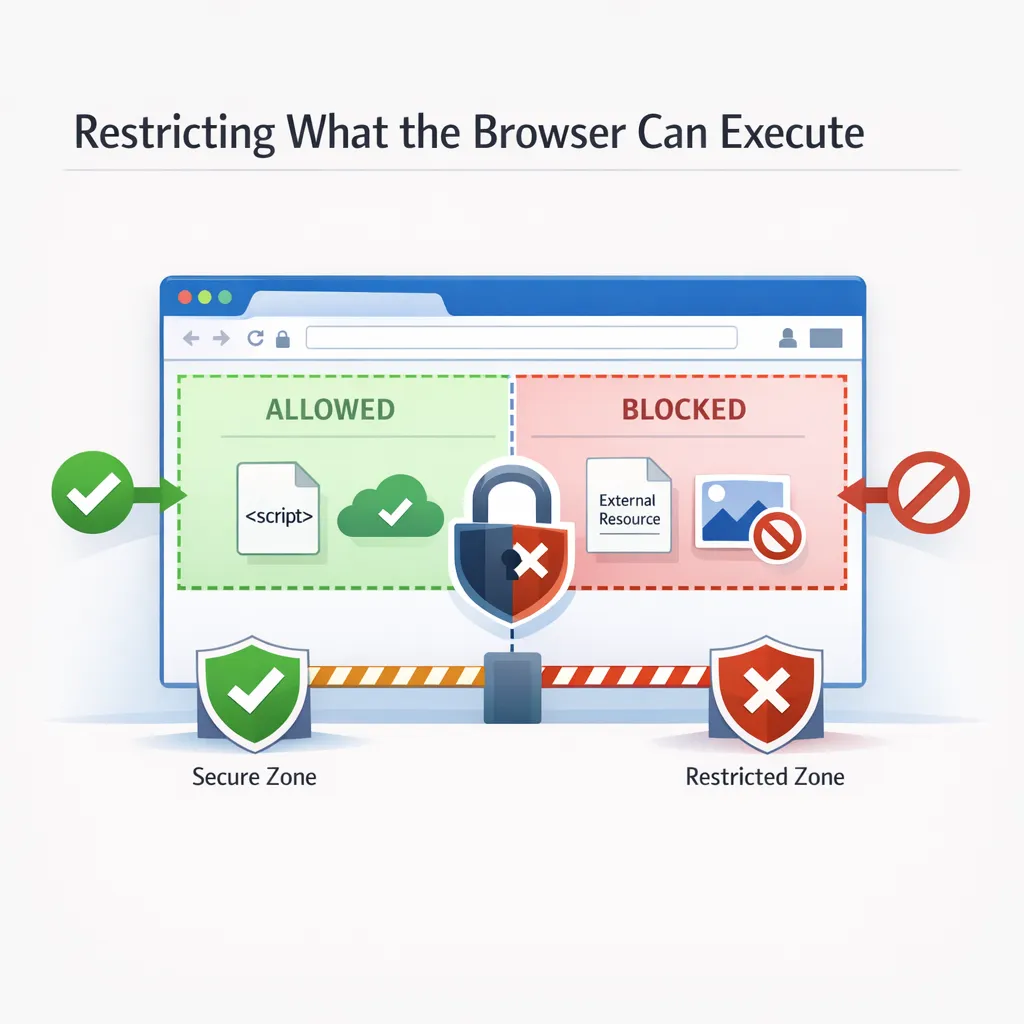
At a high level, CSP tells the browser what it is allowed to load and execute. In practice, this control becomes extremely powerful because most modern attacks target the browser, not your server.
When an attacker finds a Cross-Site Scripting vulnerability, their goal is simple. They want the browser to execute malicious JavaScript. CSP limits what JavaScript can do or blocks it entirely.
You are no longer relying only on perfect input validation. You are asking the browser to enforce security rules for you. This shift is important because browsers are consistent and unforgiving. When CSP blocks something, it blocks it completely.
What Are the Most Important CSP Directives You Should Know?
You do not need to memorize every CSP directive. You do need to understand the ones that directly affect application security.
default-src
This directive defines the default source for all content types. If you set it strictly, you reduce risk across the board. A common secure starting point is allowing content only from your own domain.
script-src
This is the most critical directive for XSS protection. It controls where scripts can load from and whether inline scripts can run. If you allow inline scripts or unsafe evaluation, you weaken CSP significantly. If you are serious about security, script-src should be restrictive.
style-src
This directive controls stylesheets and inline styles. While styles seem harmless, they can still be abused for data exfiltration in advanced attacks.
You should restrict this directive carefully and avoid inline styles where possible.
img-src
This controls image sources. Attackers sometimes use images to leak sensitive data. Explicitly define where images can load from.
connect-src
This directive controls where the browser can send data. APIs, analytics, and third-party services all fall under this rule. If an attacker injects JavaScript, connect-src limits where stolen data can be sent.
What Are Common CSP Mistakes That Break Security?
Many CSP deployments fail because of convenience.
Using unsafe-inline
This directive allows inline JavaScript execution. It defeats one of CSP’s main protections. If you use unsafe-inline, you should assume CSP provides limited value.
Using unsafe-eval
This allows dynamic code execution. It increases risk and should be avoided unless absolutely required.
Overly Broad Source Lists
Allowing many domains increases the attack surface. Each allowed domain becomes a potential compromise path. Restrict sources to what you actually need.
Ignoring CSP Reports
CSP supports violation reporting. If you do not monitor reports, you miss early warning signs of attacks or misconfigurations.
How Do HTTPS, CORS, and CSP Work Together?
Each of these protocols solves a different problem. Together, they form a layered defense.
HTTPS ensures data confidentiality and integrity. CORS controls who can read cross-origin responses. CSP controls what code runs inside the browser. If you remove one layer, attackers have more room to operate.
For example:
- Without HTTPS, attackers steal credentials before CSP matters
- Without CORS, malicious sites read sensitive API responses
- Without CSP, injected scripts execute freely
Security works best when you assume one layer may fail and others must compensate.
When Should You Use HTTPS, CORS, and CSP?
The short answer is always. The longer answer depends on your architecture.
Public Websites
HTTPS is mandatory. CSP reduces risk from third-party scripts. CORS usually remains disabled.
Authenticated Applications
HTTPS protects sessions. CORS allows controlled API access. CSP limits client-side attacks.
Single Page Applications
These rely heavily on APIs and JavaScript. All three protocols are essential.
Third Party Integrations
CORS and CSP become critical. You must explicitly trust only the required external services. If your application runs in a browser, these protocols apply to you.
How Do These Protocols Affect Compliance and Audits?
Many compliance frameworks expect these controls. Examples include:
- PCI DSS for payment systems
- GDPR for personal data protection
- SOC 2 for operational security
Auditors may not ask directly about CSP, but they expect encryption and browser protections.
HTTPS is often a baseline requirement. Misconfigured CORS can raise red flags. Lack of CSP increases risk exposure. Implementing these protocols supports both security and compliance goals.
How Should You Implement These Protocols Safely?
Start with a structured approach.
HTTPS First
Enable HTTPS everywhere. Redirect all HTTP traffic. Disable weak TLS versions. This is the foundation.
CORS with Least Privilege
Allow only required origins. Avoid wildcards. Never reflect arbitrary origins. CORS should feel restrictive, not permissive.
CSP in Report Only Mode
Start CSP in report-only mode. Monitor violations. Fix issues gradually. Once stable, enforce the policy. This approach avoids breaking functionality while improving security.
Who Defines the Standards Behind These Protocols?
You rely on global standards bodies whether you know it or not.
- IETF defines TLS standards
- W3C defines CSP and browser security models
- Mozilla and Google implement and enforce browser behavior
These organizations continuously evolve standards to address new attack techniques. Following their guidance keeps your application aligned with modern security expectations.
Final Takeaway
Secure web applications do not happen by accident. They happen when you understand how browsers behave and configure them intentionally.
HTTPS protects your users’ data.
CORS protects users from malicious websites.
CSP protects your application from injected code.
None of these replaces secure coding. Together, they reduce the blast radius when something goes wrong. If you build for the web, these protocols are part of your responsibility.
At Notionhive, we integrate these protocols into the DNA of every web solution we build, ensuring that your security foundation is as robust as your business goals.
FAQs
1. Is HTTPS alone enough to secure a web application
No. HTTPS secures data in transit, but it does not control what scripts run in the browser or how cross origin requests behave.
2. Is CORS a security feature or just a browser rule
CORS is a browser-enforced security control. It prevents malicious websites from reading sensitive responses from your application.
3. Does Content Security Policy replace input validation
No. CSP limits the impact of attacks, but input validation is still required to prevent vulnerabilities from reaching the browser.
4. Can CSP completely stop Cross-Site Scripting attacks
CSP can stop most script execution when configured strictly, but it should be used as a defense layer, not a single solution.
5. Do APIs always need CORS enabled
No. APIs only need CORS when they are accessed directly from browsers. Server-to-server APIs do not use CORS.
6. What happens if CORS is misconfigured
Misconfigured CORS can allow malicious websites to read private data, even if authentication is in place.
7. Is HTTPS required for SEO and search rankings
Yes. Google treats HTTPS as a ranking signal and labels non-HTTPS sites as insecure.
8. Should internal tools and admin panels use HTTPS
Yes. Internal applications often handle sensitive data and are common attack targets.
9. Can free SSL certificates be trusted
Yes. Certificates from Let’s Encrypt use the same encryption standards as paid certificates and are trusted by all major browsers.
10. How often should CSP and CORS configurations be reviewed
You should review them whenever you add new features, third-party services, or client-side scripts.

About Author
Tanzim Sarwar TazTanzim Sarwar Taz is a content writer with 7+ years of experience creating in-depth content on SEO, technology, web development trends, and AI-driven search. His work focuses on emerging topics such as AEO, GEO, search experience optimization, artificial intelligence, and modern web technologies, delivering practical insights backed by research and industry developments.